
Cloud Compiler Analyzer (PTX/SASS) Inside Your IDE
Cloud CUDA builds with PTX/SASS, PyTorch headers, and VS Code integration. No local CUDA install.

TLDR
- Launching our Cloud Compiler: Analyze CUDA remotely to show PTX/SASS directly from VS Code or Cursor
- No local CUDA toolkit or GPU required
- PyTorch and CUTLASS headers included
- 12+ GPU architectures supported (sm80 to sm120a)
- Enterprise onboarding available
The Problem
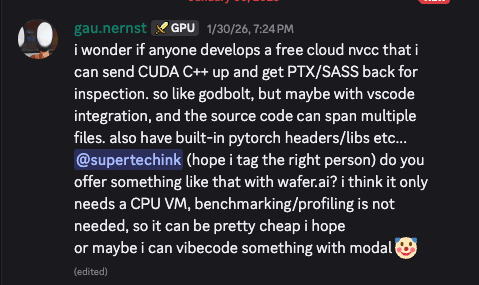
As @gau.nernst mentioned, if you're doing kernel optimization, you need to see what the compiler actually produced. PTX shows you the intermediate representation. SASS shows you the machine instructions hitting the GPU.
But getting there is annoying. Godbolt is great for quick experiments, but it doesn't have PyTorch or CUTLASS headers. Setting up a local CUDA toolkit just to inspect assembly is overkill. And copying code back and forth between your editor and a browser breaks your flow.
You want to change a line, see the assembly, iterate. Fast.
What We Built
Wafer now includes cloud CUDA compilation. You can write CUDA in your editor, do Command + Shift + P, and type: "Compile CUDA" and get PTX and SASS back. No local CUDA install required. No GPU required either.
The compiler button appears in your editor title bar when you're editing a .cu file. Click it, pick your target architecture, and see the output. That's it.
We support 12+ GPU architectures: sm80 (Ampere) through sm120a (Blackwell). Whatever you're targeting, we've got it.
Built-in Headers
We include PyTorch headers and CUTLASS by default.
You can #include or pull in CUTLASS 4.3.5 and compile against them directly.
Custom nvcc flags work too. Want -O3? --maxrregcount=32? -lineinfo for debugging? Pass them through.
Try Out Today
If you'd like to use this on your codebase, talk to us and we'll help you get set up.
Give Us Feedback
If there's something else that would make your kernel development faster, let us know.
Reach out at emilio@wafer.ai or find us on Twitter/X.